Release notifications
The Android app posts a system notification when a followed show, movie, or game is about to release and you haven’t watched it yet, based on which lead times you’ve enabled in Settings → Android push notifications. That’s one notification per release per enabled lead time, no spam.
- Install the app and allow notifications when prompted (Android 13+ asks on first launch).
- Sign in, or configure your first widget. Either one gives the app the server URL and API token it needs.
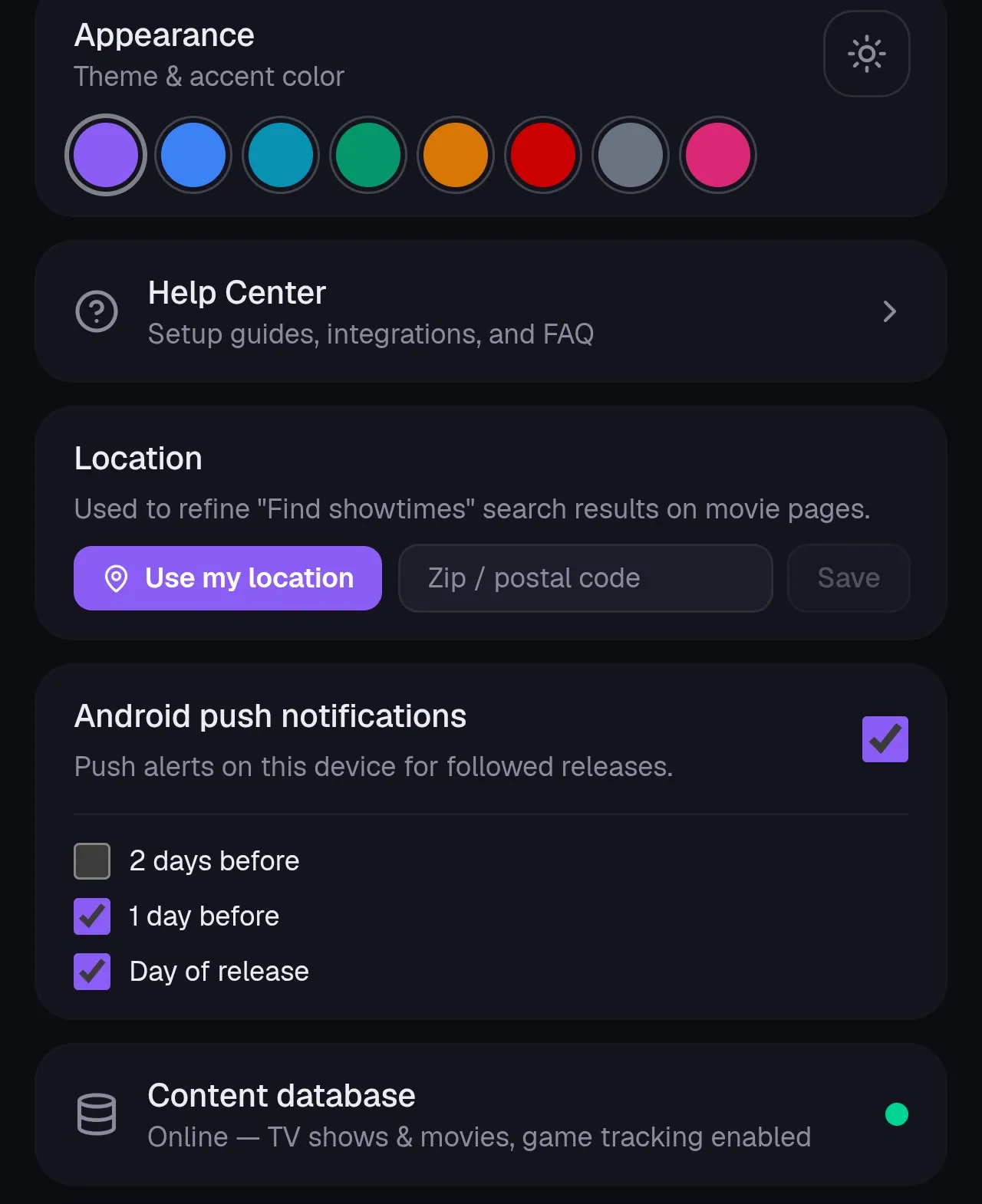
- In Settings → Android push notifications, make sure the master toggle is on and pick which lead times you want: 2 days before, 1 day before, and/or day of release. New accounts start with 1 day before and day of release enabled.
The app checks for upcoming releases roughly every 6 hours in the background.
Good to know
Section titled “Good to know”- Release dates don’t include a time of day, so lead times work to the day, not to an exact hour before.
- Each release notifies once per enabled lead time. With both “1 day before” and “day of release” on, a title can trigger two separate notifications a day apart.
- Turning notifications off, or unchecking every lead time, stops the app from receiving anything new. It won’t resend anything you missed while it was off once you turn it back on.
- If notifications stop, check that Android isn’t restricting Orion’s battery (Android Settings → Apps → Orion → Battery) and that notification permission is still granted.
Want notifications somewhere else?
Section titled “Want notifications somewhere else?”If you use Home Assistant or n8n, Orion can push release events to a webhook instead, with its own independent on/off and lead time settings. That route works for any device Home Assistant can notify, including iPhones.