
Quick tour
Orion is mobile first. Every screen works the same on a phone, and on Android you can install it to your home screen as an app (or use the native Android app).
Home: Up Next
Section titled “Home: Up Next”The home screen shows what to watch next. For every show you follow, that’s the next aired episode you haven’t watched yet. Mark an episode watched right from the list and the next one takes its place. It also surfaces what’s airing today and what’s coming this week.
Search
Section titled “Search”Search is where you add things. Look up any TV show, movie, or game and follow it. Orion pulls metadata, artwork, and every air and release date automatically (shows and movies from TMDB, games from IGDB). New episodes of followed shows sync for you, so there’s nothing to maintain by hand.
Library
Section titled “Library”Your whole collection in one place: followed shows, movies, and games, with watch progress. Shows you’re done with (or that got cancelled) can be archived. They keep their watch history but stop appearing in Up Next and the calendar.
Calendar
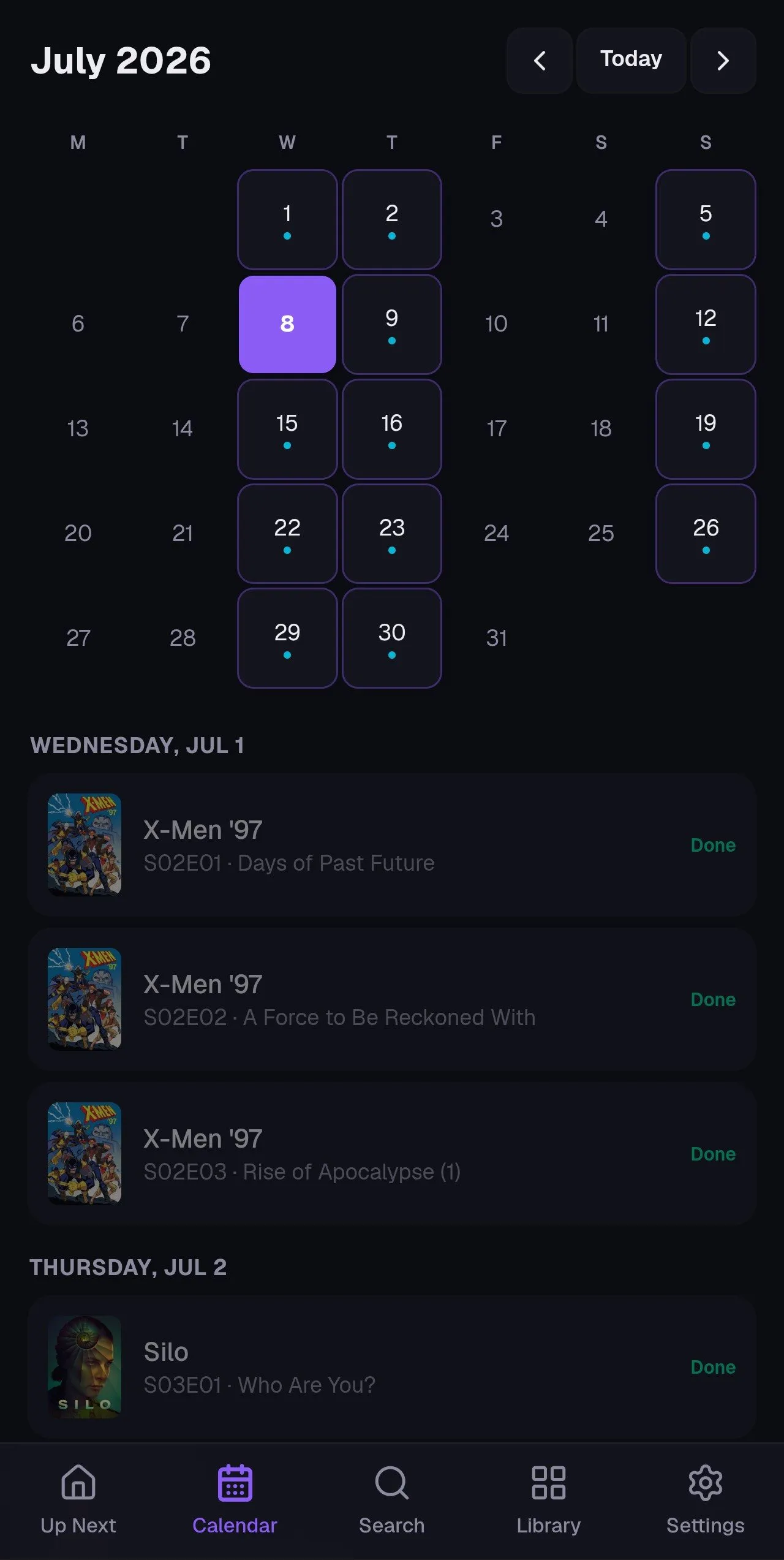
Section titled “Calendar”A month view plus agenda of every upcoming episode, movie release, and game release across everything you follow. You can also subscribe from Google or Apple Calendar so releases show up in the calendar app you already use.
Detail pages
Section titled “Detail pages”Tap any show, movie, or game for its full page: season and episode lists with per episode watched toggles, release info, and where to stream it. Streaming availability is shown per title.
Settings
Section titled “Settings”Theme and accent color, your showtimes location, the calendar subscription URL, import & export, and account management all live under Settings, along with a Help Center link that opens these docs. If you’re using the Android app, an “Android push notifications” section (on/off and lead time) appears too. The developer tools, your API token, the notification webhook, and its own independent lead time preferences, are grouped under the collapsed For developers section near the bottom.