
Home Assistant
Orion integrates with Home Assistant in both directions: push a notification the moment a followed episode, movie, or game releases, expose sensors for dashboard cards, and let HA mark things watched or trigger a sync.
There are two ways to wire this up:
- Native integration (recommended):
hemiproductions/orion-homeassistant, installed via HACS. Add it from HA’s Settings → Devices & Services → Add Integration → Orion, paste in your Orion URL + API token, and it creates the sensors, button, and services for you. No YAML required. See that repo’s README for setup. - Manual (no HACS): write a webhook automation and REST sensor against Orion’s HTTP API by hand, described below.
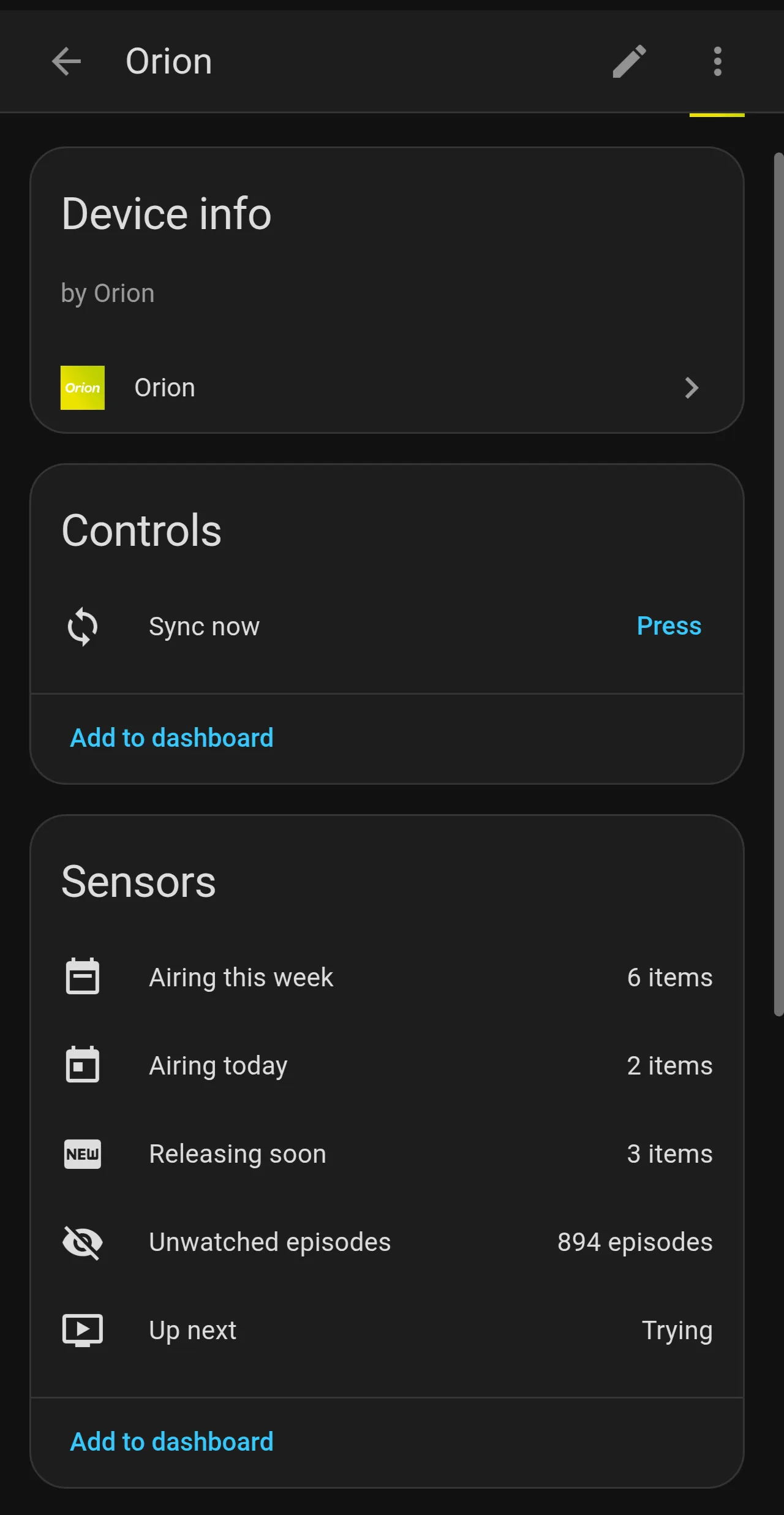
Both approaches use the same Orion endpoints, authenticated with your personal API token (Orion’s Settings page).
1. Webhook notification (push to your phone)
Section titled “1. Webhook notification (push to your phone)”In Home Assistant, create a webhook triggered automation: Settings → Automations → Create Automation → skip → add trigger → Webhook, then switch to YAML mode:
alias: Orion new releasetrigger: - platform: webhook webhook_id: orion-release allowed_methods: [POST] local_only: falseaction: - service: notify.mobile_app_<your_phone> data: title: > {% set icon = {"episode": "📺", "movie": "🎬", "game": "🎮"} %} {{ icon[trigger.json.type] }} {{ trigger.json.title }} message: "{{ trigger.json.subtitle }}" data: image: "{{ trigger.json.poster }}" tag: "{{ trigger.json.item_key }}"mode: queuedFind your webhook’s full URL under the automation’s trigger, or construct it
yourself: https://<your-ha-instance>/api/webhook/orion-release. Set it as
your Orion webhook URL (see Webhooks for payload
details and current availability). Orion checks for new releases every 30
minutes.
2. Reading data: a watch list sensor
Section titled “2. Reading data: a watch list sensor”GET /api/machine/summary is the consolidated feed. One
request returns counts, the next episode up, your watch list, and this week’s
schedule. Example REST sensor:
sensor: - platform: rest name: Orion Today resource: "https://orionmedia.app/api/machine/summary?token=<your_api_token>" value_template: "{{ value_json.counts.airingToday }}" json_attributes: - next - upNext - today - week scan_interval: 900And a dashboard card that lists the week from it:
type: markdowncontent: > {% for item in state_attr('sensor.orion_today', 'week') %} - **{{ item.show }}** {{ item.episode }} · {{ item.air_date }} {% endfor %}3. Writing back: mark watched, trigger a sync
Section titled “3. Writing back: mark watched, trigger a sync”The token authenticated write endpoints let an automation or dashboard button
change Orion state directly. This is what the native integration’s
orion.mark_watched service and button.orion_sync call:
POST /api/machine/watched: mark an episode, movie, or game watched or unwatchedPOST /api/machine/follow: follow, unfollow, or archivePOST /api/machine/sync: immediate catalog refresh and notification check
Payload shapes are in the endpoint reference.
4. Android home screen widget via HA
Section titled “4. Android home screen widget via HA”The HA Companion App can place any sensor (including sensor.orion_today) in
an Android widget: long press the home screen → Widgets → Home Assistant →
Sensor/Template. That said, Orion’s own
native widgets are richer, with posters, theming, and
tap to open, if you have the Orion app installed.